Project Tracking Dashboard
A production planning tool built for creative teams that need cleaner project tracking, realistic effort forecasting, workload distribution across business days, and monthly capacity visibility before schedules start slipping.
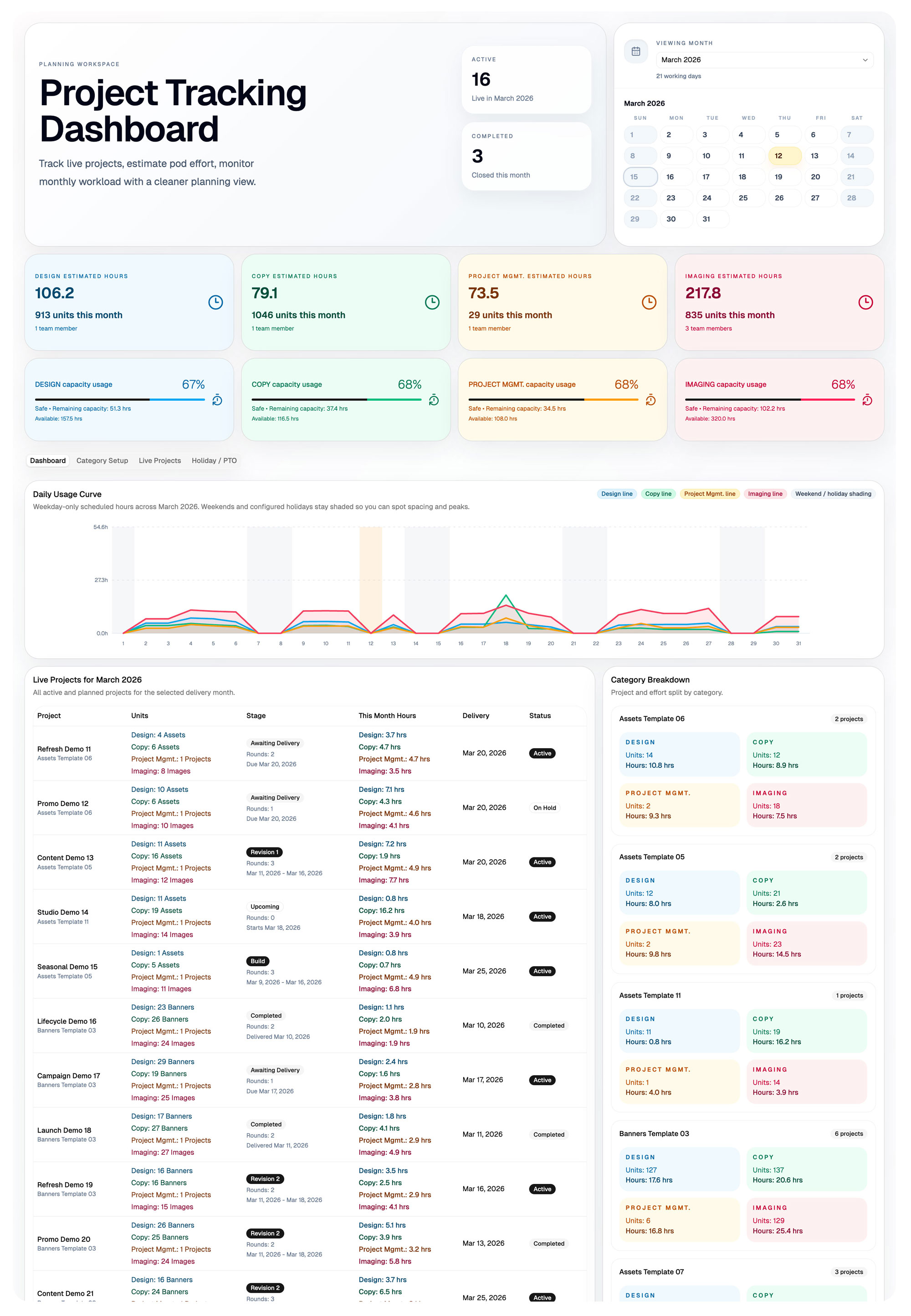
A production planning system for real delivery pressure, not rough spreadsheet guesswork.
Creative production teams often manage workload in fragmented spreadsheets where dates, revisions, and effort assumptions drift apart. This product centralizes project inputs, converts them into structured production effort, distributes that effort across business days, and surfaces capacity and schedule risk before teams get overbooked.
What the product solves
The dashboard creates a structured planning layer between project intake and delivery. Instead of manually estimating work in disconnected tabs, teams can model projects as repeatable production workflows with category rules, revision stages, working day logic, and team-specific effort calculations.
Why I built it
I built this tool to solve a recurring creative production problem: estimating timelines realistically while balancing multiple teams and revision cycles. The result is a planning system that treats production as an operational workflow rather than a loose spreadsheet exercise.
From project input to capacity forecast in four connected steps.
Configure categories
Define reusable production templates for work types such as email campaigns, landing pages, marketing banners, and product imaging.
Add live projects
Capture project name, category, delivery window, revision rounds, unit counts, and team workload inputs in one place.
Simulate effort and business days
Break projects into build, revision, and buffer stages, then distribute workload across working days while respecting holidays and PTO.
Review capacity and export
Visualize monthly utilization, detect overload conditions, and generate a structured Excel workbook with intact formulas for scenario testing.
Built around the planning logic production teams actually need.
Project tracking
Category templates
Multi-team distribution
Business-day scheduling
Schedule risk detection
Monthly capacity view
Stage-based workload engine
Excel workbook output
The Excel export is part of the product, not just an afterthought.
The workbook mirrors the planning system structure so teams can continue exploring scenarios in spreadsheets without breaking underlying calculations.
Summary sheet
High-level project and capacity metrics for the selected delivery month.
Projects sheet
Detailed breakdown with timeline simulation, team effort, revision stages, and monthly workload distribution.
Categories sheet
Reusable production templates that drive estimation logic across projects.
Capacity sheet
Team capacity configuration with utilization and remaining-capacity calculations.
Holiday calendar
Working-day inputs covering public holidays, internal shutdowns, and PTO dates.
Workload engine sheet
Hidden calculation layer that distributes project effort across stages and individual days.